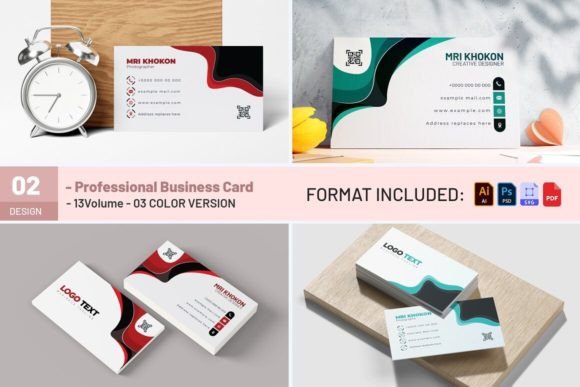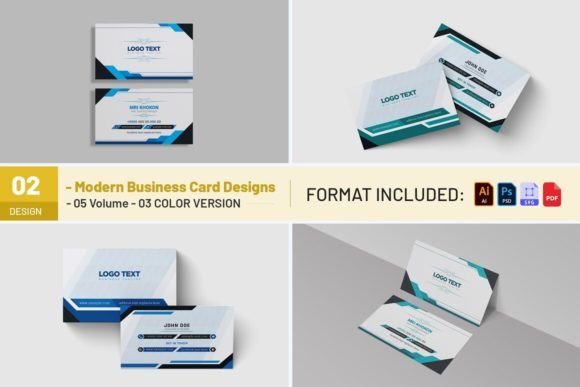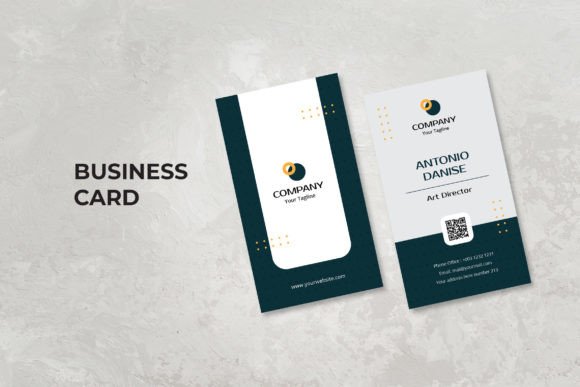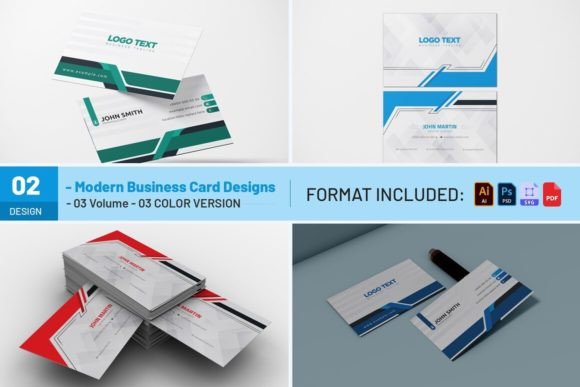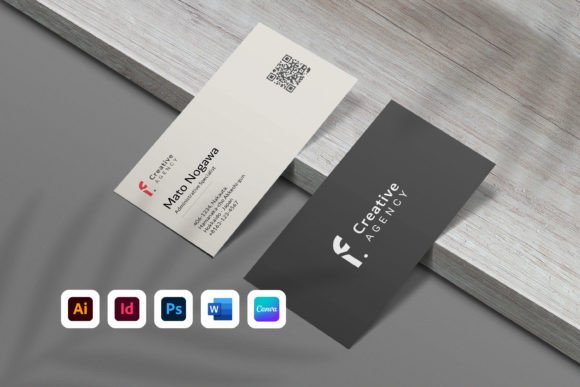
Business Card Template with QR Code: A Practical Guide to Modern Networking
In the current professional landscape, the exchange of contact information has evolved beyond simple paper handoffs. A Business Card Template with QR Code represents a critical bridge between traditional networking and digital connectivity. This tool is not merely a design asset; it is a functional component of a broader workflow that ensures your contact details, portfolio, or social media presence are instantly accessible to anyone you meet. Whether you are a freelancer launching a new service, a corporate marketer managing a rebrand, or an educator distributing course materials, integrating a QR code into your physical card streamlines the process of connection.
The value of this template lies in its versatility across different software ecosystems. Unlike static designs locked into a single platform, this resource is engineered for maximum compatibility. It supports Microsoft Word (compatible with 2010 and higher), Canva, Adobe InDesign (CS4 and higher), Adobe Illustrator, and Adobe Photoshop. This multi-platform availability means that regardless of your preferred editing environment, you can maintain consistency in your branding without needing to hire a graphic designer for every minor update. The ability to edit text, colors, and objects directly within these files empowers users to take ownership of their professional identity immediately.
Integrating the Template into Your Workflow
Understanding where a Business Card Template with QR Code fits into your daily operations requires looking at the entire lifecycle of a business interaction. Before you even begin the design phase, you must define the purpose of the QR code. Is it linking to a LinkedIn profile, a digital portfolio, a calendar booking page, or a specific landing page? Defining this destination early prevents the need for constant redesigns later. Once the target URL is established, the template becomes a canvas for execution.
The workflow begins with preparation. If you are using the Microsoft Word version, ensure your document settings match the standard size of 3.5 x 2.0 inches. For users who prefer visual drag-and-drop interfaces, the Canva template offers a streamlined path to customization. The inclusion of a file guide PDF is essential here; it provides the necessary instructions on how to access font download links and navigate the layered files. Skipping this step often leads to formatting errors, such as missing fonts or misaligned elements, which can compromise the final output.
During the creative process, the flexibility of the layered files allows for granular control. In Adobe InDesign or Illustrator, you can isolate specific layers to adjust the QR code placement without affecting the background graphics. This separation is crucial for maintaining print quality while ensuring the code remains scannable. If you are working with Adobe Photoshop, the layered PSD files allow you to manipulate individual elements like shadows or highlights to match your brand's aesthetic. The key is to treat the QR code not as an afterthought, but as a central element of the layout that dictates the balance of the card.
Compatibility and File Management
A significant advantage of this package is the variety of formats provided. You receive a Microsoft Word document (.docx), a Canva template link, Adobe InDesign CC 2020 (.indd) and CS4+ (.idml) files, Adobe Illustrator (.ai and .eps), and Adobe Photoshop (.psd). Additionally, a PDF containing the link to the Canva template is included. This diversity ensures that whether you are collaborating with a team member who uses InDesign or printing via a web-to-print service that accepts PDFs, the file structure supports your needs.
However, it is vital to note the limitations regarding software compatibility. The document is editable in Microsoft Word, Adobe InDesign, Adobe Illustrator, and Adobe Photoshop only. It will not function correctly in Apple Pages or other non-compatible applications. Attempting to open these files in unsupported software can result in lost layers, broken links, or distorted layouts. To avoid this frustration, always verify your software version before opening the files. For older versions of InDesign, the .idml format serves as a universal translator, allowing you to open the latest design in CS4 or later versions without data loss.
From Design to Print: Quality Control and Execution
Once the design is finalized, the transition from digital file to physical product requires careful attention to detail. The template is designed for double-sided business cards, meaning both the front and back must be considered in the context of the overall user experience. The QR code should ideally be placed on the side that directs the user to the most dynamic content, such as a video introduction or a live portfolio, while the primary contact details reside on the opposite side.
When preparing for print, export the final design to PDF. This format preserves the vector data and ensures that the colors remain consistent across different printers. The standard size of 3.5 x 2.0 inches is widely accepted, but always check with your printing provider regarding bleed requirements and safe zones. The template includes editable objects, so you can easily adjust margins if your printer has specific constraints. Using free fonts listed in the file guide ensures that you do not incur unexpected licensing fees, keeping the project cost-effective for small business owners and hobbyists alike.
For those utilizing digital files, the same template can serve as a source for creating digital business cards or email signatures. By exporting the design as a high-resolution image or a direct link, you can integrate the QR code into email footers or social media bios. This dual-purpose capability maximizes the utility of the initial design effort. The QR code acts as a persistent anchor; even if the person holding the card loses it, they can still access your information by scanning the code from a saved screenshot or a digital backup.
Optimizing for Scannability and User Experience
A common pitfall in designing a Business Card Template with QR Code is placing the code too close to the edge or making it too small. While the template provides a starting point, you must test the scannability before mass production. The contrast between the code and the background is critical; dark codes on light backgrounds generally scan better than the reverse. If you choose to customize the color of the QR code to match your brand, ensure there is sufficient contrast against the card stock.
Furthermore, consider the user journey after the scan. Does the link lead to a mobile-optimized page? If the destination is a desktop-only site, the user experience will be poor, negating the effort of the scan. This is where the planning phase intersects with technical implementation. Ensure that the URL embedded in the QR code is short, reliable, and tracks analytics if possible. This allows you to measure the effectiveness of your networking efforts and understand how many people are engaging with your digital assets.
Maintaining Long-Term Consistency
One of the primary benefits of using a layered, editable template is the ability to maintain long-term consistency. As your business grows, your contact information may change. Instead of reprinting entirely new cards, you can simply open the original file, update the phone number or email address, and re-export the PDF. This efficiency is particularly valuable for professionals who undergo frequent role changes or rebrands.
The inclusion of a file guide is a testament to the importance of organization. Reading the guide before opening the file ensures that all dependencies, such as fonts and linked images, are properly resolved. This proactive approach saves time and reduces the risk of errors during the final stages of production. By adhering to the provided instructions and utilizing the available resources, you create a robust system for managing your professional identity.
In conclusion, a Business Card Template with QR Code is more than just a design file; it is a strategic tool for modern communication. Its compatibility with industry-standard software, combined with its flexible design options, makes it suitable for a wide range of users, from entrepreneurs to educators. By following a structured workflow that emphasizes preparation, compatibility checks, and quality control, you can produce a high-quality business card that effectively bridges the gap between the physical and digital worlds. Whether used for print or exported as a digital file, this template offers a practical solution for anyone looking to enhance their professional network with minimal friction and maximum impact.